Spreadsheets
If you are planning your finances in Google Sheets or Excel, you are in good company. Spreadsheets are where most people start: they are free, flexible, and familiar. But as your financial picture grows more complex, spreadsheets start to show their limits.
Doughsense is a purpose-built financial planning tool that handles the scenarios, projections, and analysis that spreadsheets struggle with, without the formula maintenance.
At a Glance
| Feature | Doughsense | Spreadsheets |
|---|---|---|
| Setup time | Minutes (guided setup) | Hours to days |
| Ongoing maintenance | Automatic | Manual (formulas, updates) |
| Monte Carlo simulations | Yes (97 years of historical market returns, 1928-2024) | Requires custom engineering |
| Financial health metrics | 12 built-in metrics | Build your own |
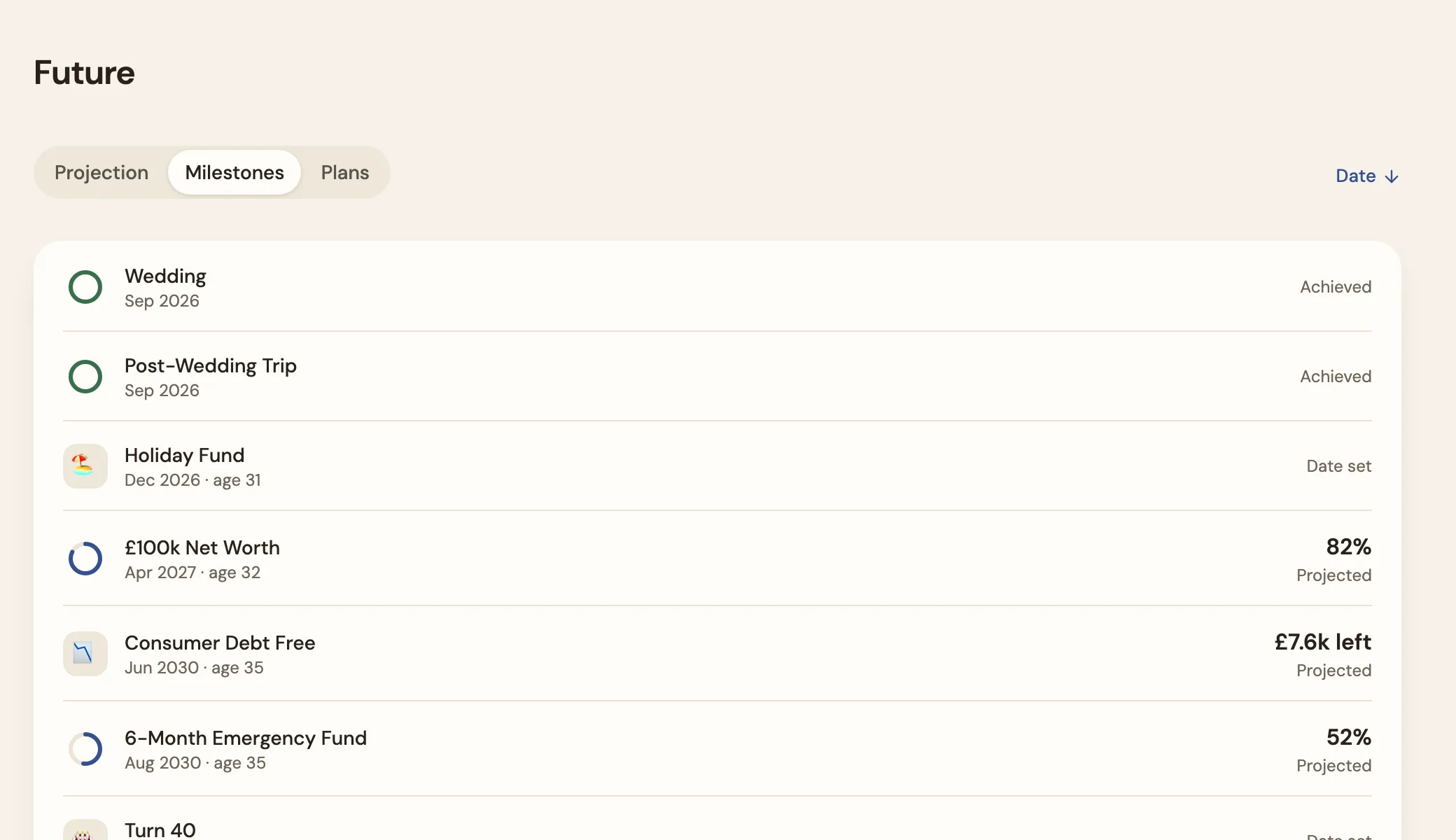
| Milestone tracking | Yes (with projected dates) | Build your own |
| Scenario modelling | Built-in | Manual (copy sheets, adjust) |
| Inflation adjustments | Automatic | Manual formulas |
| Multi-currency | Built-in conversion | Manual exchange rates |
| Bank feeds | Yes (UK open banking, on Plus tier) | No (manual entry) |
| Error risk | Low (validated models) | High (formula errors, broken refs) |
| Collaboration/sharing | No | Yes (Google Sheets) |
| Customisation | Structured | Unlimited (if you build it) |
| Cost | Free, or Plus £10/month or £80/year | Free |
| Mobile access | Yes (native iOS and Android apps) | Limited (clunky on mobile) |
Which Is Right for You?
Choose spreadsheets if you prefer full control over your financial model and are comfortable maintaining formulas and assumptions over time. Spreadsheets offer unlimited customisation: you can model anything if you are willing to write the formulas and keep them updated. They are also free, which matters. If your financial picture is simple, a well-built spreadsheet may be all you need.
Choose Doughsense if you want the answers your spreadsheet gives you, without the hours of maintenance. You will still see your projected net worth, scenario outcomes, and milestone dates, but the models are validated, the formulas never break, and everything updates automatically. Monte Carlo simulations stress-test your plan against 97 years of market data; building that in a spreadsheet is a serious engineering project.
12 financial health metrics, including net worth, savings rate, debt-to-income, cash runway and FI number, explain your position in plain English, so you understand what your numbers mean without building your own analysis. Guided setup sets you up in minutes, by hand or in your own words; custom tax schedules cover a wide range of tax systems, and multi-currency support means no more manual exchange rate lookups. If you want a full-featured financial dashboard with bank feeds, see our Monarch comparison.
See It in Action
Pricing
Spreadsheets are free. Doughsense is free with manual data, so you can replace your spreadsheet at no cost, and its Plus tier adds UK bank feeds and a self-maintaining plan for £10 per month or £80 per year. The trade-off spreadsheets carry is time: maintaining a financial planning spreadsheet typically takes hours per month. Doughsense saves that time and adds capabilities like Monte Carlo simulations and financial health metrics that most spreadsheets simply cannot replicate without significant effort.
Frequently Asked Questions
Can Doughsense do everything my spreadsheet does?
It depends on your spreadsheet. If you use it to track your net worth, project future balances, and model scenarios, Doughsense covers all of that with less manual effort. If your spreadsheet includes highly customised calculations specific to your situation, like tax optimisation logic or unusual income structures, you may need to check whether Doughsense's built-in models handle your case. Built in the UK to work anywhere, Doughsense supports custom tax schedules and multi-currency, so it handles international finances that spreadsheets make painful. It also adds Monte Carlo simulations and financial health metrics, which a spreadsheet only has if you build them.
Can I import my spreadsheet data into Doughsense?
Doughsense does not currently offer a direct spreadsheet import feature. However, guided setup can build your plan quickly by walking you through your accounts, income, and expenses, or you can describe them in your own words, typed or dictated, on every tier.
Is a spreadsheet more flexible than Doughsense?
A spreadsheet is as flexible as you need it to be. You can model anything if you are willing to build and maintain the formulas. In practice, financial planning spreadsheets tend to grow complex over time: formulas compound, references break, and the maintenance effort grows with your financial picture. Doughsense trades some customisation for reliability, built-in financial intelligence, and zero maintenance overhead.
How long does Doughsense take to set up?
Guided setup takes minutes, by hand or in your own words. Compare that to the hours or days it typically takes to build a financial planning spreadsheet from scratch, plus the ongoing maintenance every month. Doughsense gets you to the answers faster and keeps them up to date automatically.
Can I export my data from Doughsense?
Yes. You can export all your data at any time through a self-serve download. This includes your accounts, balances, income, expenses, and settings. Projections are calculated live from your data rather than stored, so they are not part of the export, but the underlying data that drives them is always yours. If you ever want to go back to a spreadsheet, your data comes with you.
Competitor details were accurate as of July 2026. Features and pricing may change - visit their site for the latest. Spot something outdated? Let us know.
 Coming soon